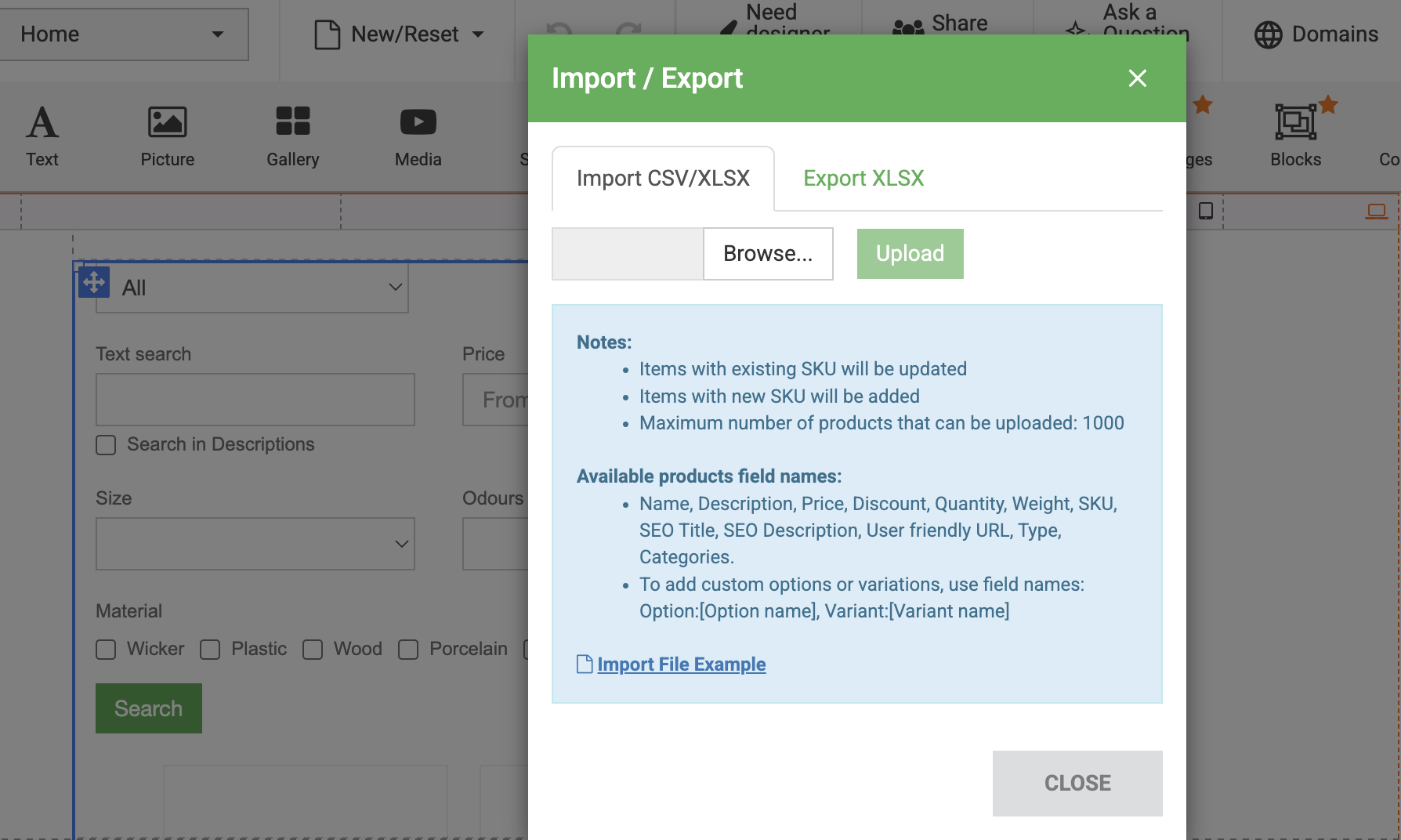
How to import products to Store?
Note: This FAQ page possibly does not match your profile type "Accounting"
Now you can import all of your products in your store with a single file.
To import products from file:
- Prepare product documentation for upload: Ensure your product data is accurately organised in a CSV or XLSX file;
- Add Commerce widget;
- Navigate to " Edit products" in right toolbar;
- Import your file:
- Click "Import / Export" button (bottom left of "Edit Item" menu);
- Select the file containing the products you want to import.
- Add images for imported products:
- Select the desired item from the imported products;
- Click next to "Images";
- Click "Add New" choose needed item images and upload it;
- Click "Apply" button.
Note: For guidance on how to format your file, you can download an example by clicking on question mark next to Import CSV/XLSX.
Preview: