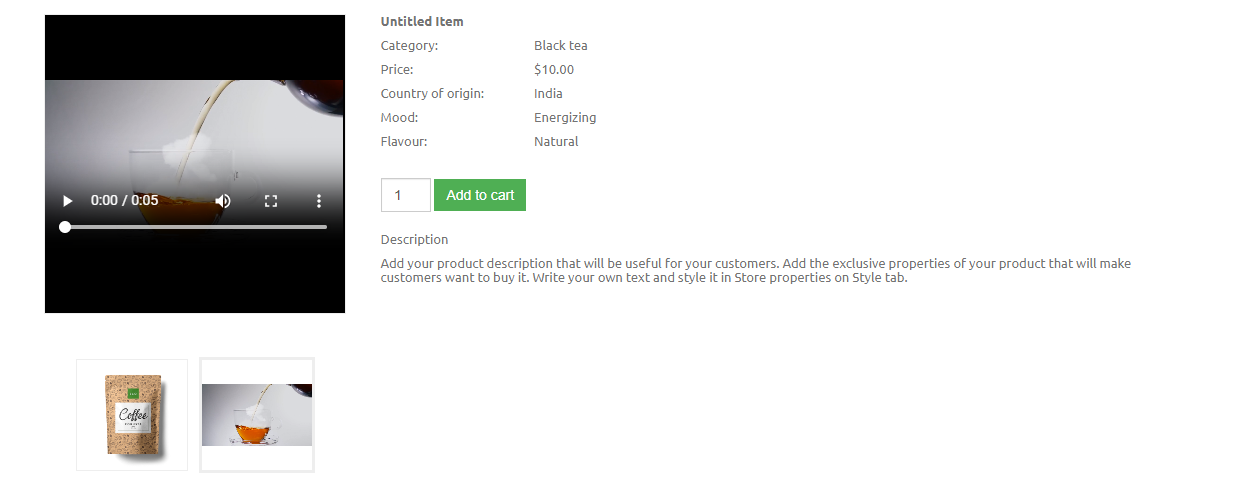
How to add video (mp4) file to gallery/shop product?
Adding video gallery:
- Drag & drop "Gallery" from main toolbar;
- Choose needed gallery composition;
- Select gallery and click "Pictures" section in right toolbar;
- Click "Add images/videos" button;
- Click "Add New" choose needed video composition and upload it;
Note. You can just drag and drop video file from your computer to website builder.
Search video:
- Select "Gallery media manager" and click "Full media library" button
- Choose "Show:" select from dropdow-menu "Video"
Adding store video:
- Drag & drop "Commerce" from main toolbar;
- Choose store composition;
- Select "Edit products" in right toolbar;
- Choose products "Images" and click ";
- Click "Add New" choose your video file and upload it;
- Select video file and click "Apply";
- Click the "Apply" button in the item editor;
Note. You can just drag and drop video file from your computer to website builder;
You can leave the main product image and add video to the product gallery.