



How to add anchors?
- Select an element by clicking on it;
- Choose "Advanced" category in right toolbar;
- Write "Anchor name" (e.g., anchor)
(Optional) Write "Class name" and "Name"; - Select element you want to link to anchor:
- For menu item:
- Select "Edit Menu" in right toolbar;
- Click on "New Menu Item";
- Select "Link" and write "Name";
- For image/button:
- Click icon below "URL" in right toolbar;
- For text:
- Select text part you need to add anchor;
- Click "Link" button in text editor;
- For menu item:
- Select "Page on your website";
- Choose Anchor name from dropdown list;
- Click on "Apply".
- :
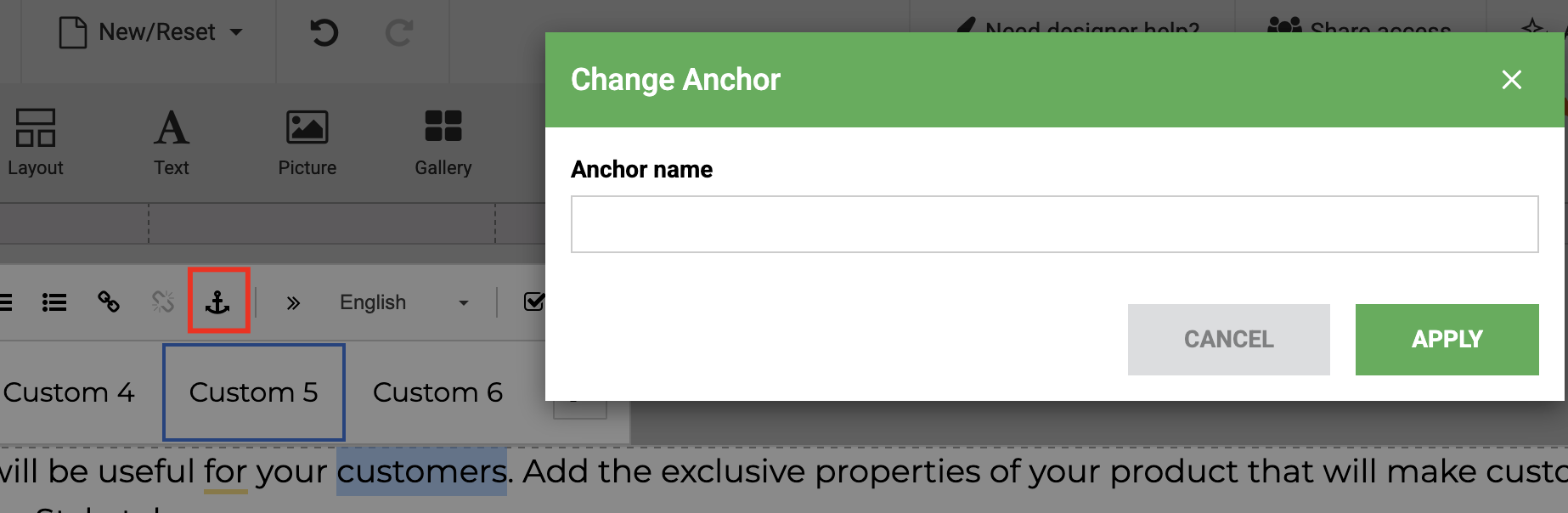
- Select the part of the TextArea element you need to add anchor;
- Create anchor by clicking the «anchor» icon in text editor;
- Add anchor name and click «Apply».
Video
